 StreamForge
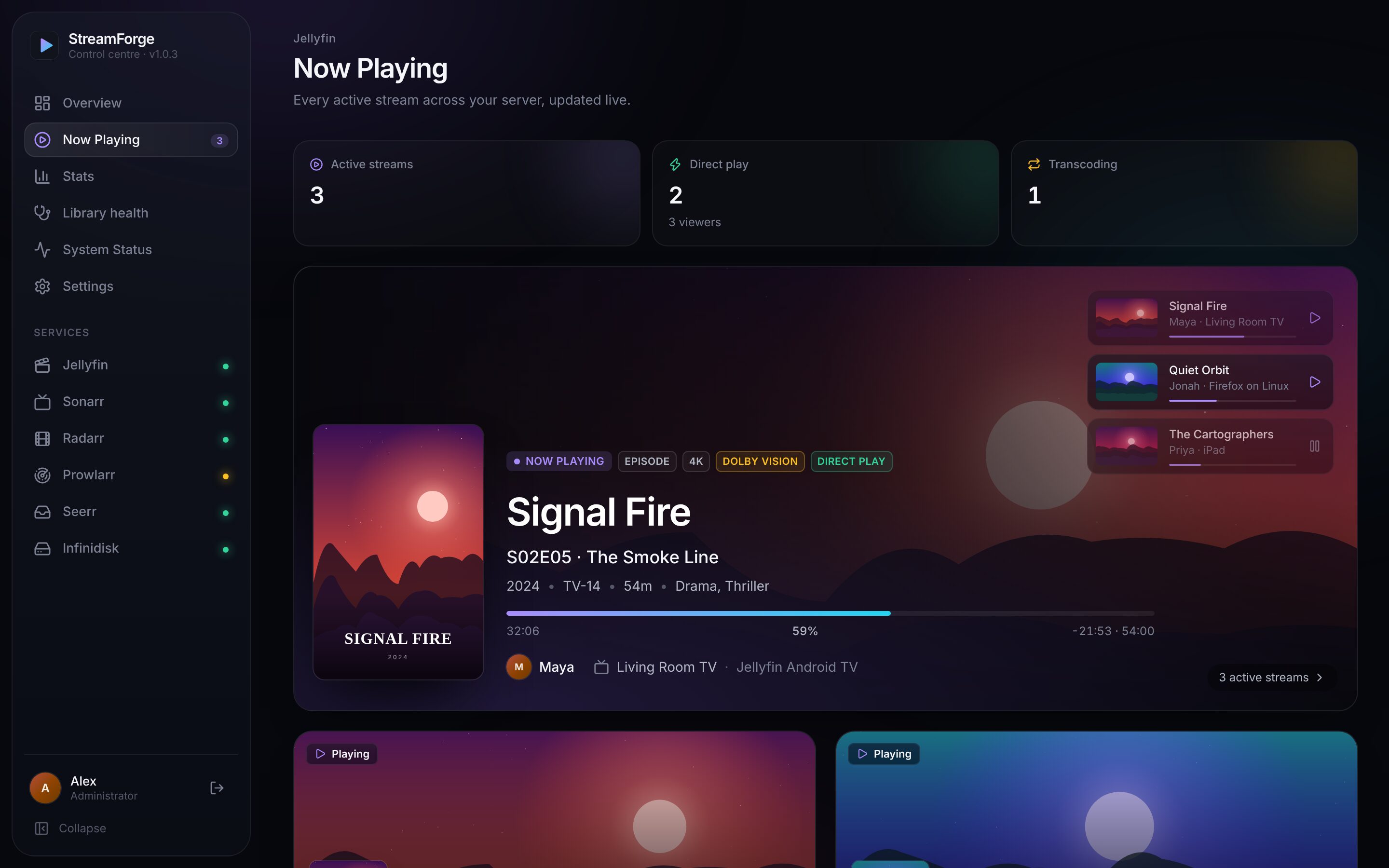
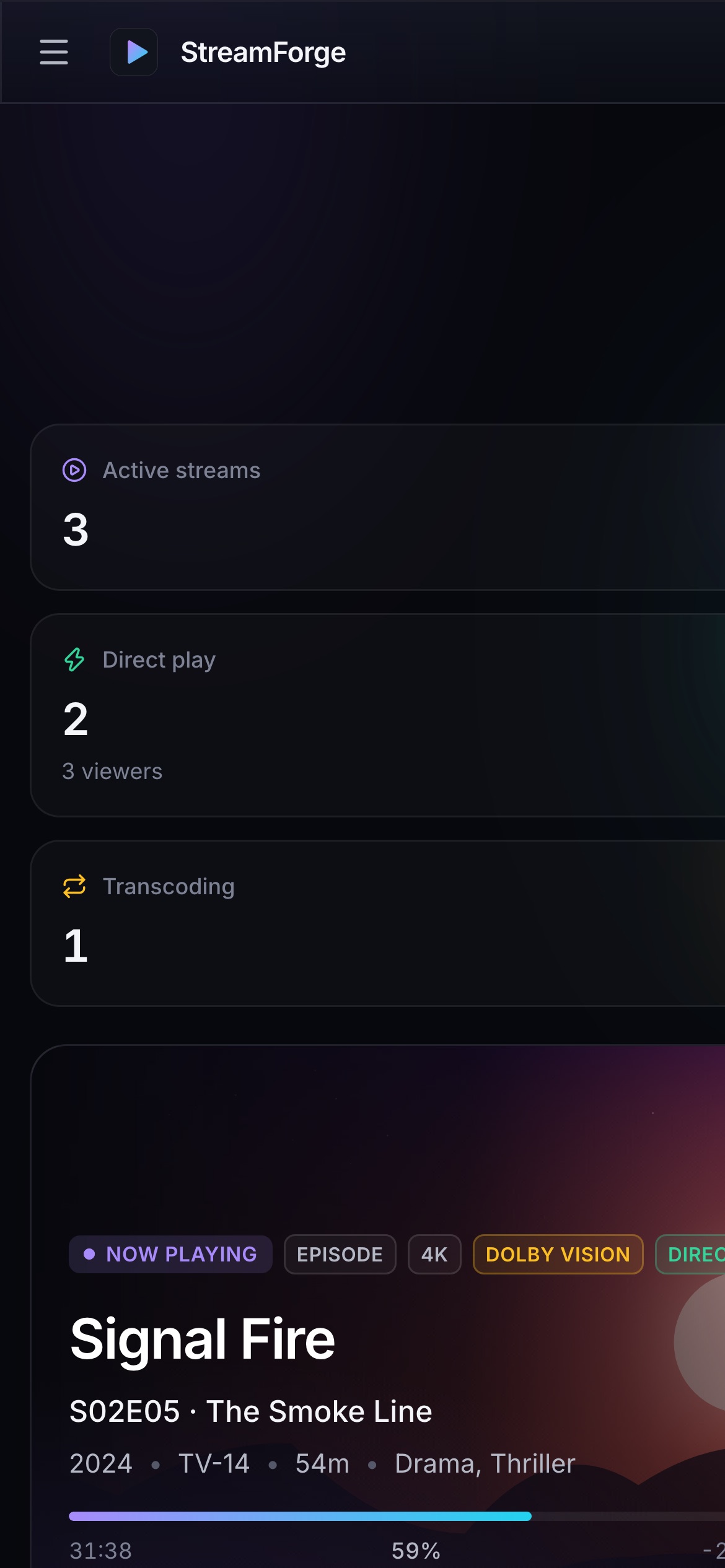
Now Playing, live
Every active stream with artwork, progress, user and device, plus direct play or transcode details, on your Jellyfin, Plex, Emby or Silo server. Pause, message or stop a stream when you need to.
StreamForge brings Plex, Jellyfin, Emby or Silo, the *arr apps, Seerr, your download clients and your storage together: who's watching, what's downloading, what's been requested and whether everything is healthy, live.
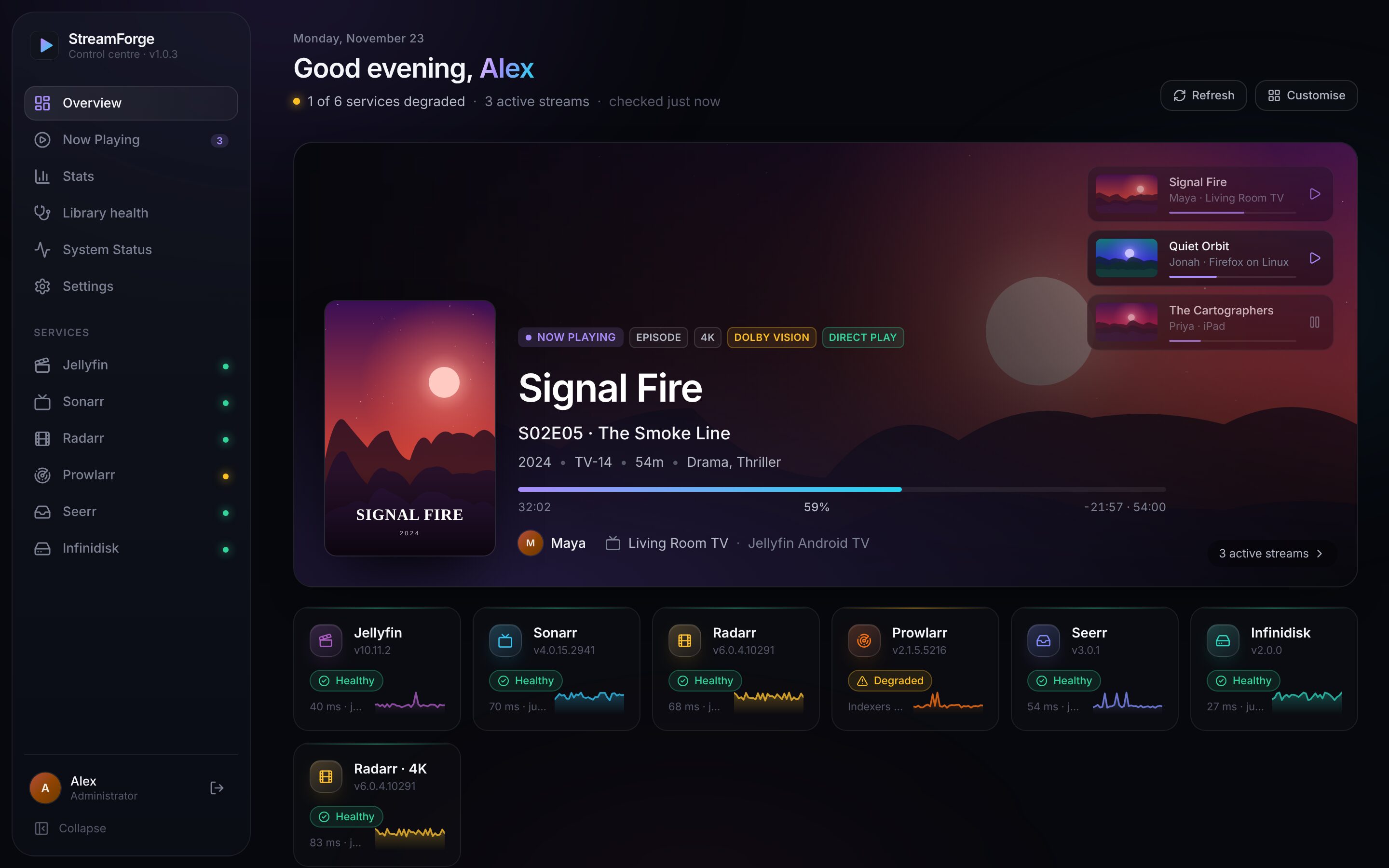
One place to see your server, instead of a dozen browser tabs.
Every active stream with artwork, progress, user and device, plus direct play or transcode details, on your Jellyfin, Plex, Emby or Silo server. Pause, message or stop a stream when you need to.
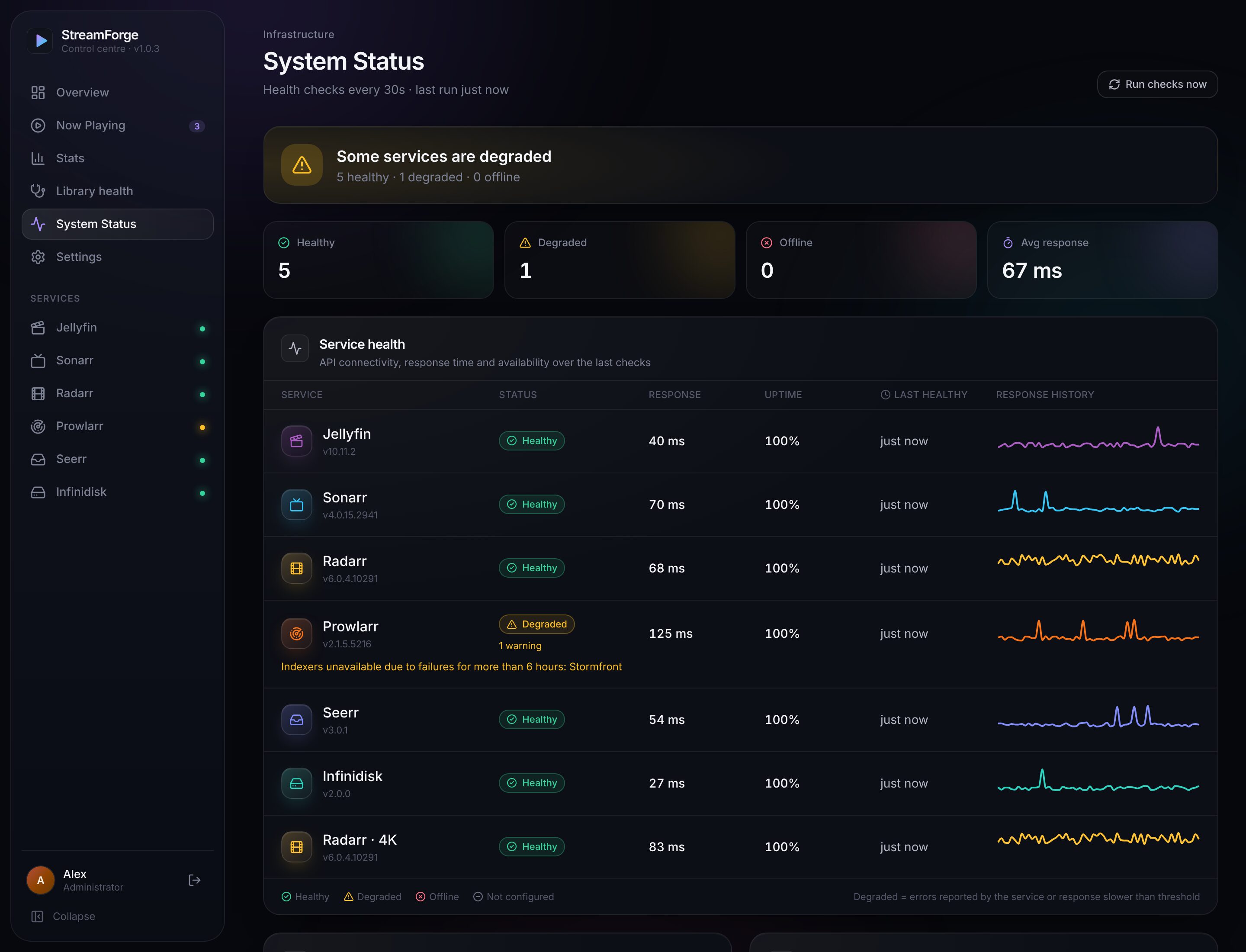
Each service is checked every 30 seconds for status, response time, uptime and the problems it reports about itself, with an alert when one goes down.
Sonarr and Radarr queues with live throughput and one-click blocklist, re-search or remove. See what's missing and what's airing next, across as many instances as you run.
Seerr requests waiting for approval and recently fulfilled, with who asked and when. Approve or decline right from the dashboard.
Capacity, usage, temperatures and health for every drive, plus a forecast of when each volume will fill up and an alert before it does.
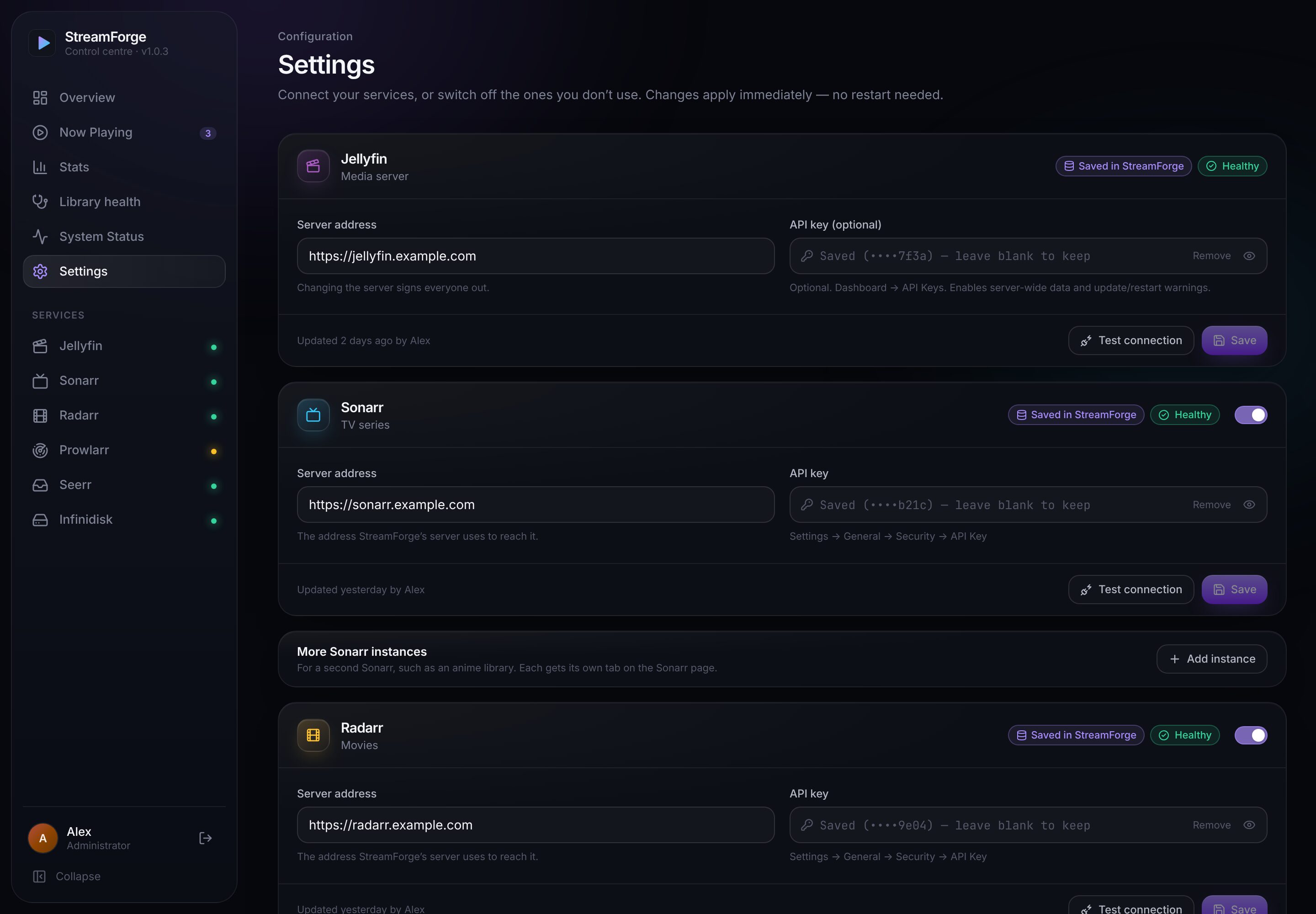
Add each service's address and API key in Settings, test the connection and save, or let StreamForge find your Jellyfin, Emby and Plex servers on the network. Switch off what you don't use. Changes apply instantly, with no config files or restarts.
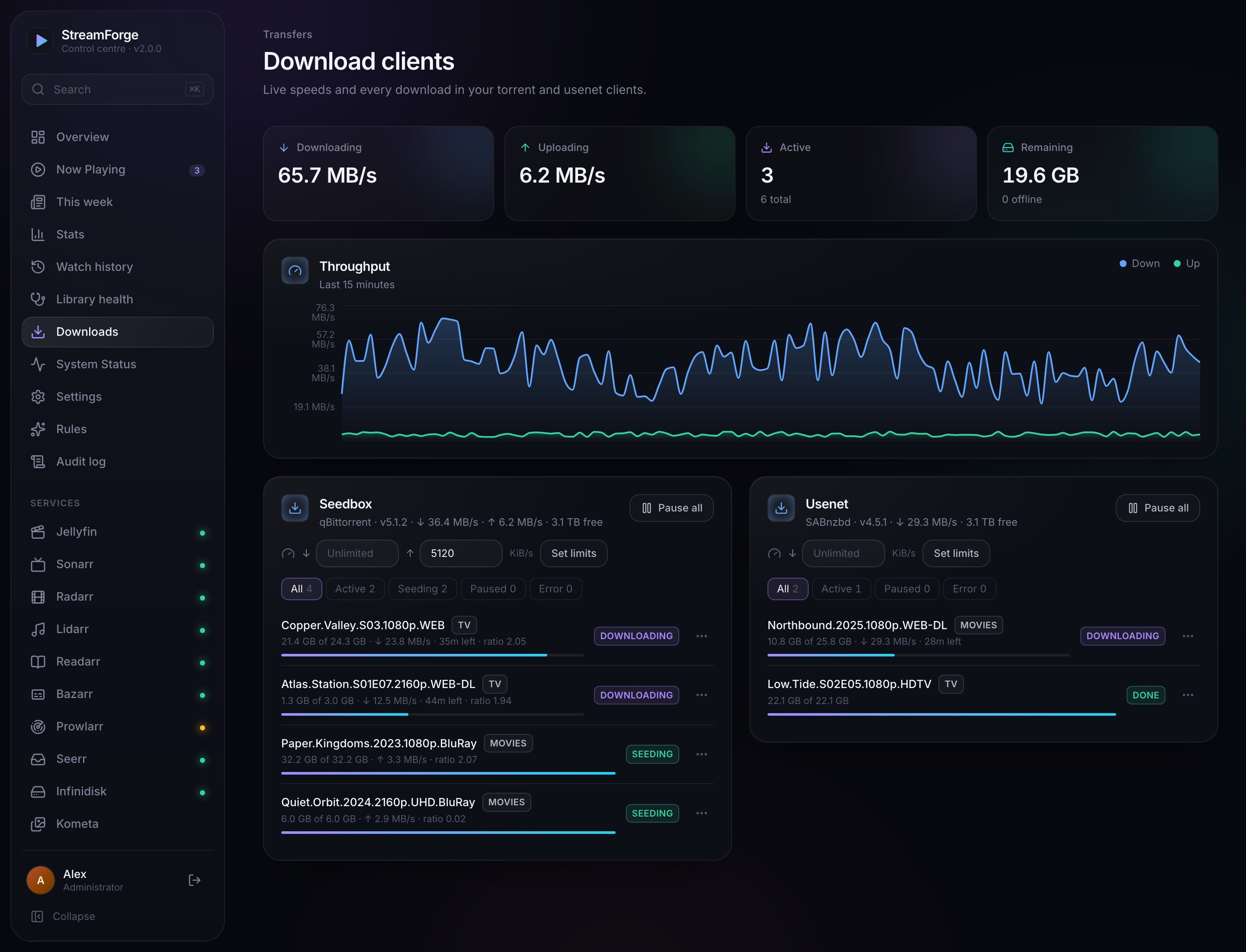
Real speeds from qBittorrent, Transmission, SABnzbd and NZBGet, every download in each client, and buttons to pause, remove or set speed limits.
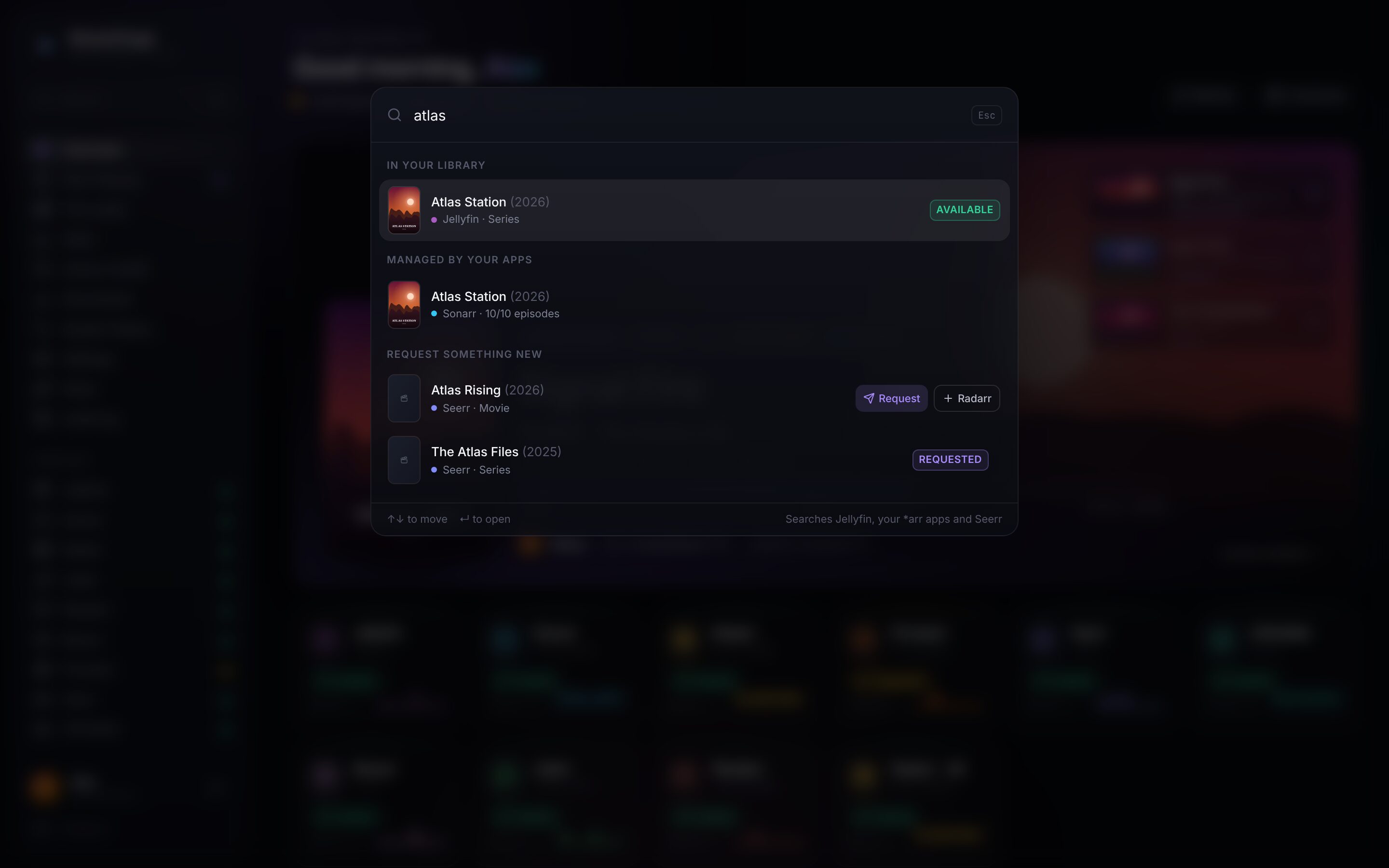
Press ⌘K to search Jellyfin and every *arr app at once. Request something new through Seerr, or add it straight to Sonarr or Radarr.
Lidarr and Readarr queues, releases and missing items, and Bazarr's missing subtitles with search buttons.
Stuck imports, dead downloads and full disks get handled, and you hear about anything that can't be.
Downloads Sonarr or Radarr couldn't match get matched from grab history, the release name and your library, then imported. Conflicting signals are never guessed at, and Preview shows what it would do first.
Downloads that stop making progress, or that fail, are removed, blocklisted and searched for again, so the queue keeps moving without you.
Discord, ntfy, Pushover, webhooks or push to your phone. Pick the events for each: outages, full disks, failed imports and new requests.
Plays and watch time per day, direct play vs transcode, top viewers, titles and clients, and a heatmap of when people watch.
Series with missing episodes, files that could be upgraded, downloads Jellyfin never picked up, and items nothing is managing.
Add StreamForge to your phone's home screen or your desktop. It opens like any other app, and push notifications reach your phone.
If a disk is nearly full, pause the download clients. If downloads stall, run the cleanup. If a service stays down, tell you. Rules never delete anything.
Big movies and shows nobody has watched in months, ranked by the space they'd free. Keep them, stop monitoring them, or delete them.
Hear about it when too many streams transcode, bandwidth passes your limit, or someone transcodes 4K, and optionally message the viewer.
StreamForge records every play on your Jellyfin, Plex, Emby or Silo server, brings each title's details together in one page, and builds Kometa collections for you.
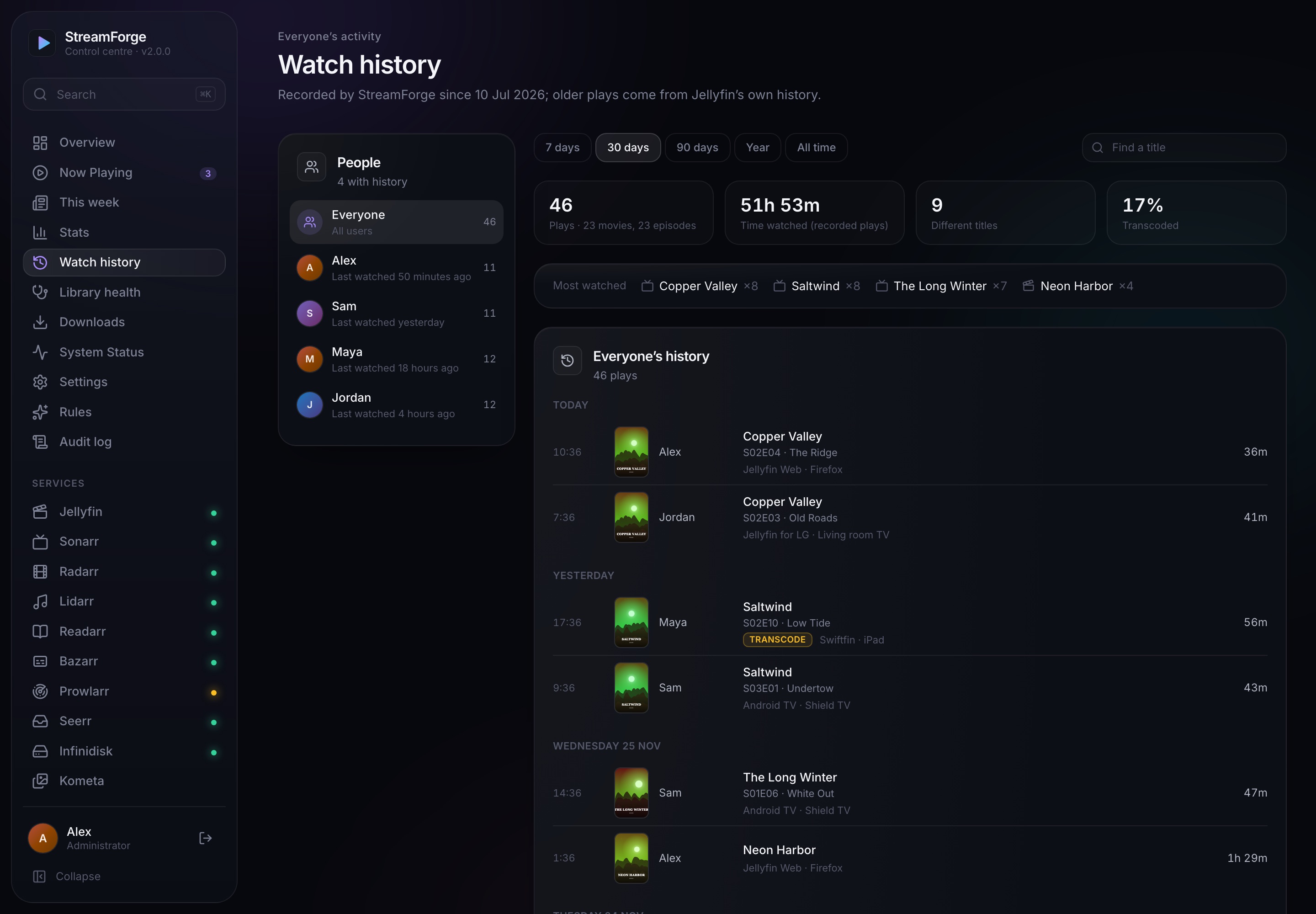
Pick someone, or everyone, and a time range. Each play shows the poster, the episode, the device, how long they watched and whether it transcoded.
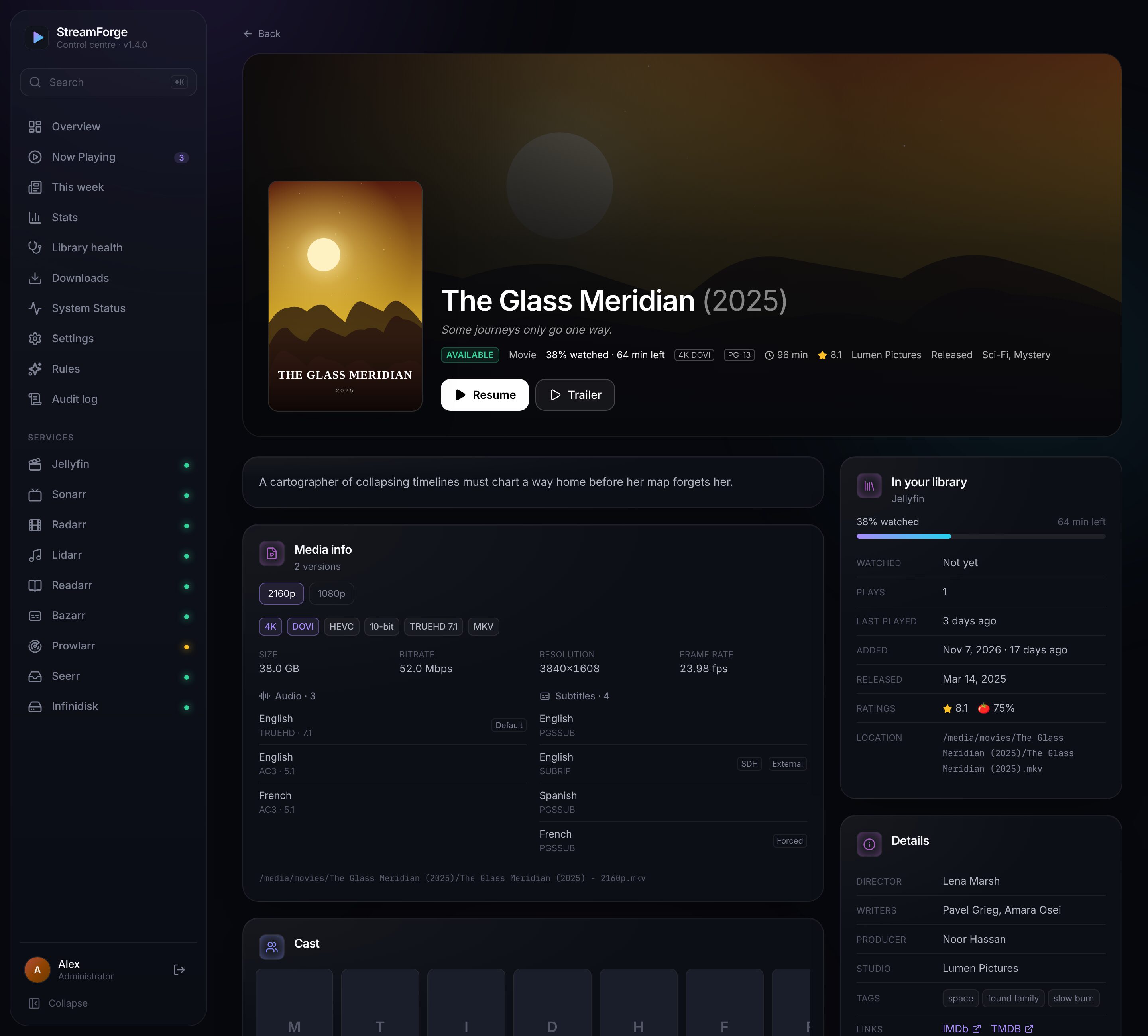
Details from your media server, Sonarr or Radarr and Seerr together: files and quality, audio and subtitle tracks, seasons and episodes, and a Play button that opens it in your server's own app.
Make collections from TMDb, IMDb or Trakt lists, trending titles or your own picks, shown all year or just in December. Kometa builds them on its next run, and its run reports show up in StreamForge.
Add one title, or tick every missing title in a collection and add them in one go, with your choice of instance, quality profile, folder and whether to search now.
Movies and shows every person has already finished, biggest first. Choose who counts, then delete or stop monitoring them through Sonarr or Radarr, so nothing comes back.
Every page has buttons, not just numbers. Try the controls on this stream: they work the same way in StreamForge.
A live demo on this page. Nothing is sent anywhere.
A cinematic view of every stream, updated every few seconds, with the progress bar moving in between.
Response-time history, uptime and the warnings each service reports, plus your host's CPU, memory, network and disks.
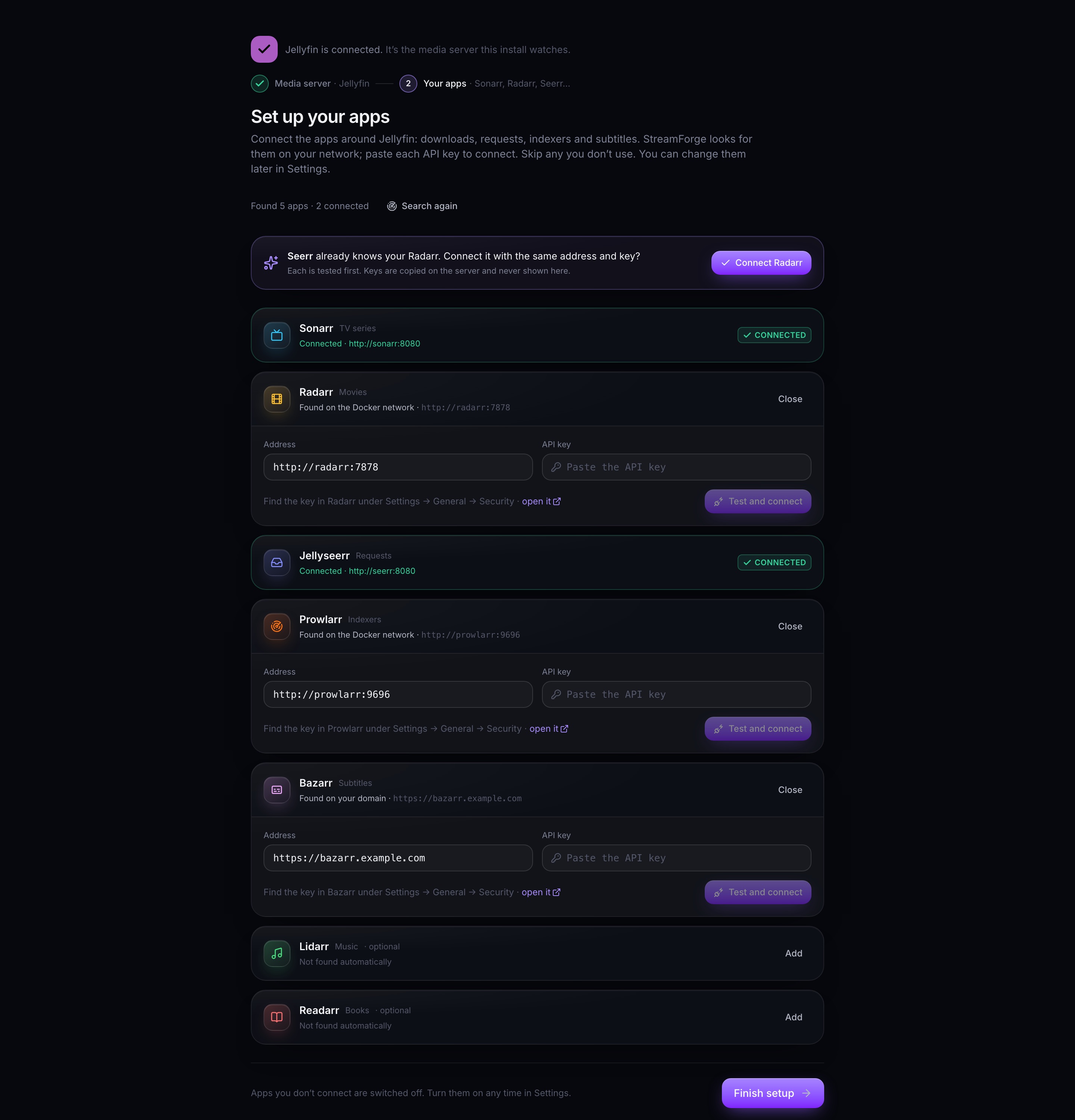
Paste an address and API key, click Test connection, then Save. Keys stay on your server, and the browser only ever sees the last four characters.
Connect your download clients and see exactly what's moving, how fast, and what's stuck, across torrent and usenet.
One search box for your whole stack. See whether something is already in the library, which app manages it, or request it in one click.
Everyone who signs in gets their own page: what to watch next, what they've watched, how their requests are going, and where they're signed in.
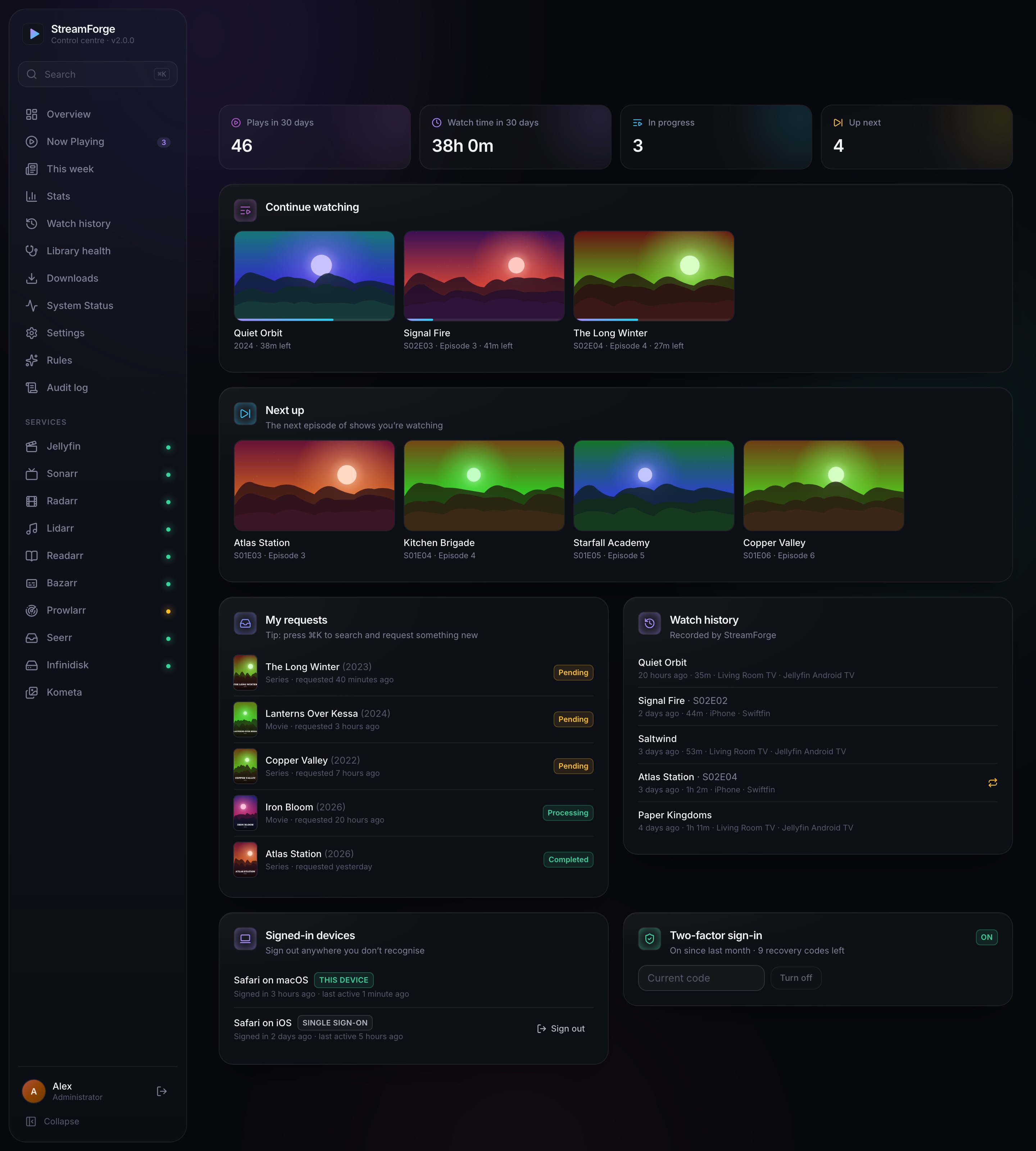
Pick a page to see what it shows and what you can do there.
Open any title, from search, Now Playing, the queues or the calendar, and see what you have, what you are missing and what you can do about it.
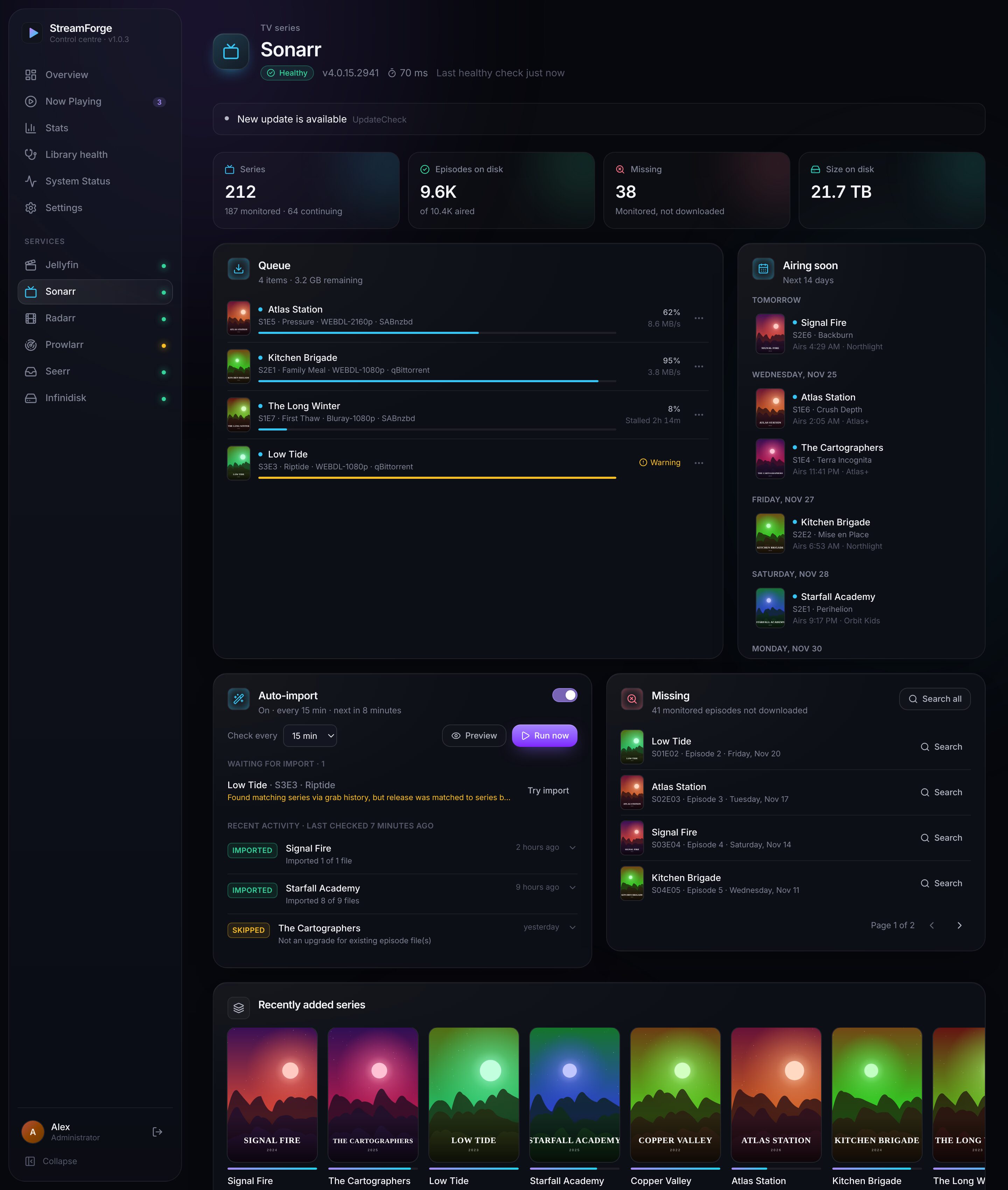
Every download with its progress and what is wrong with it, plus what is airing soon and what is still missing, across as many instances as you run.
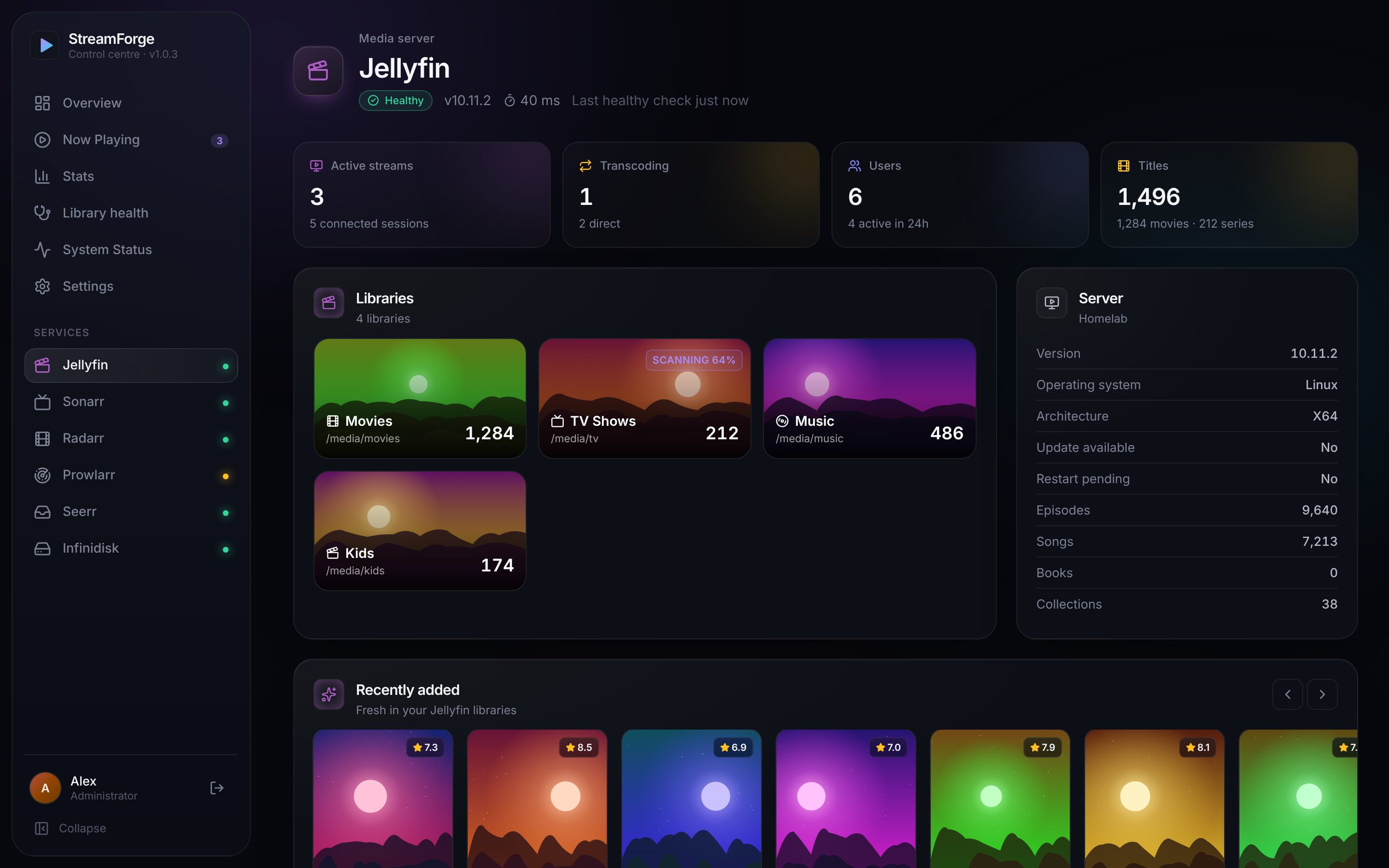
Libraries and their sizes, what was added recently, who has been active and the state of the server itself.
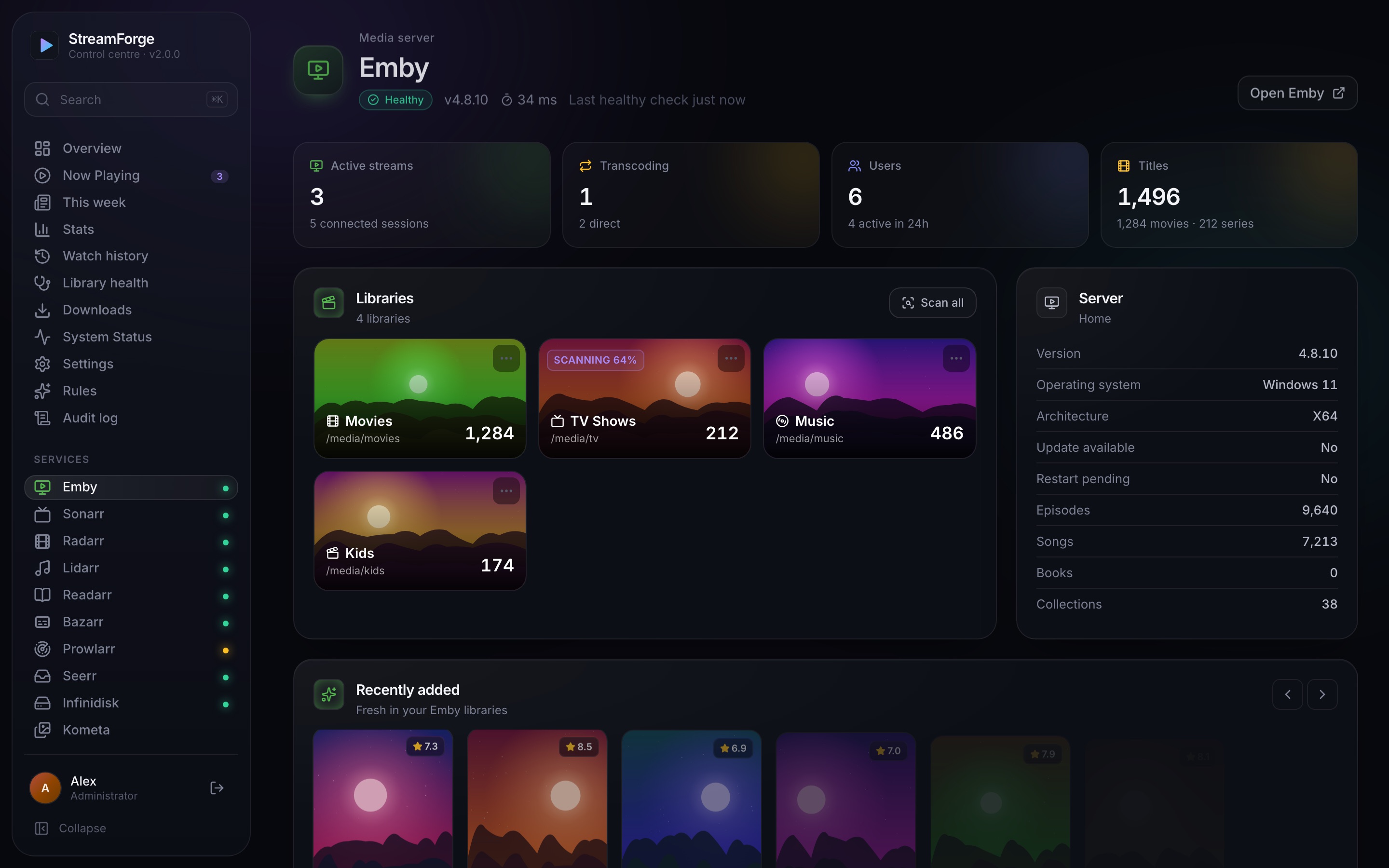
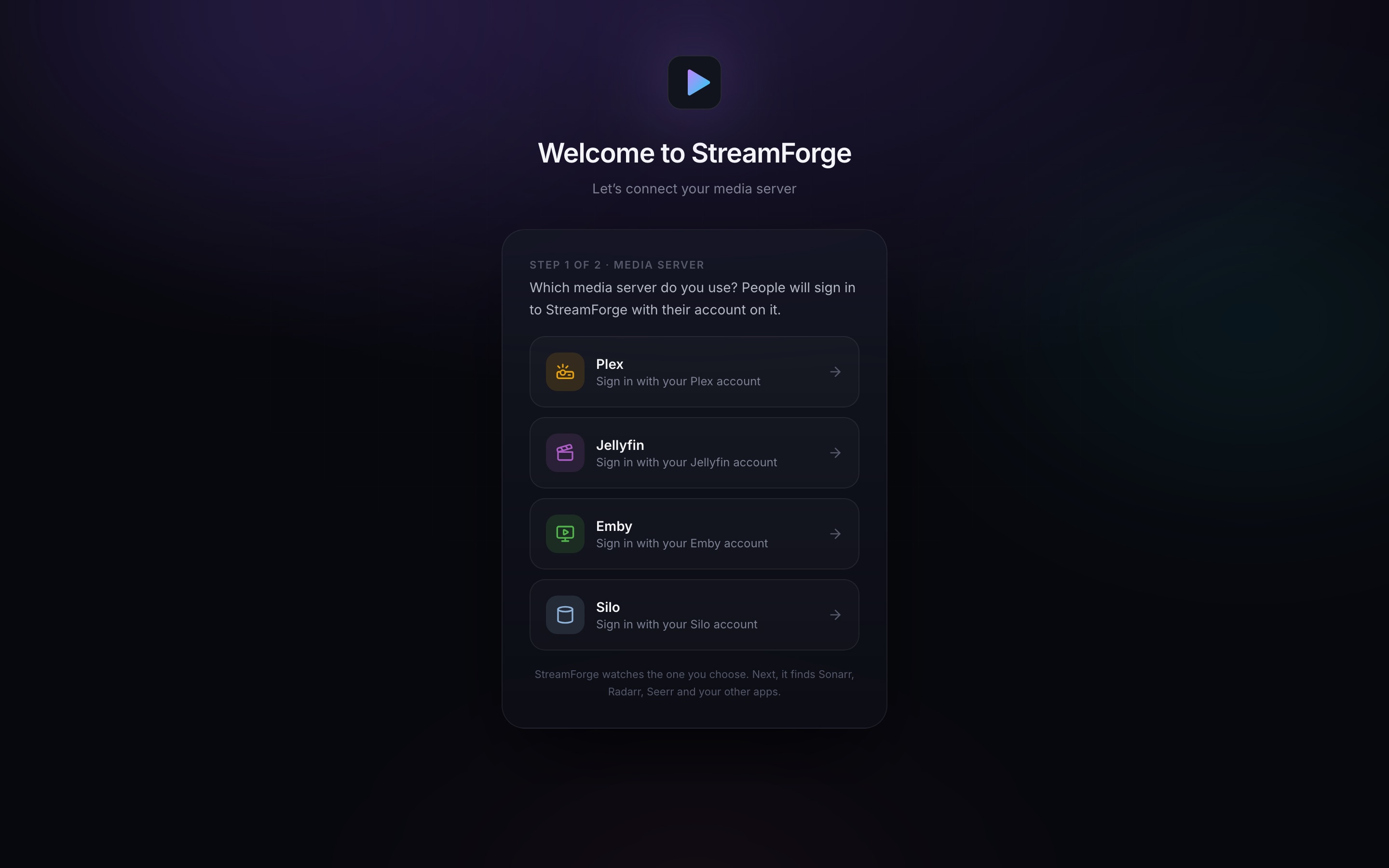
Choose Emby on first run and everyone signs in with their Emby account. The dashboard, stats, history, search and alerts all run on it.
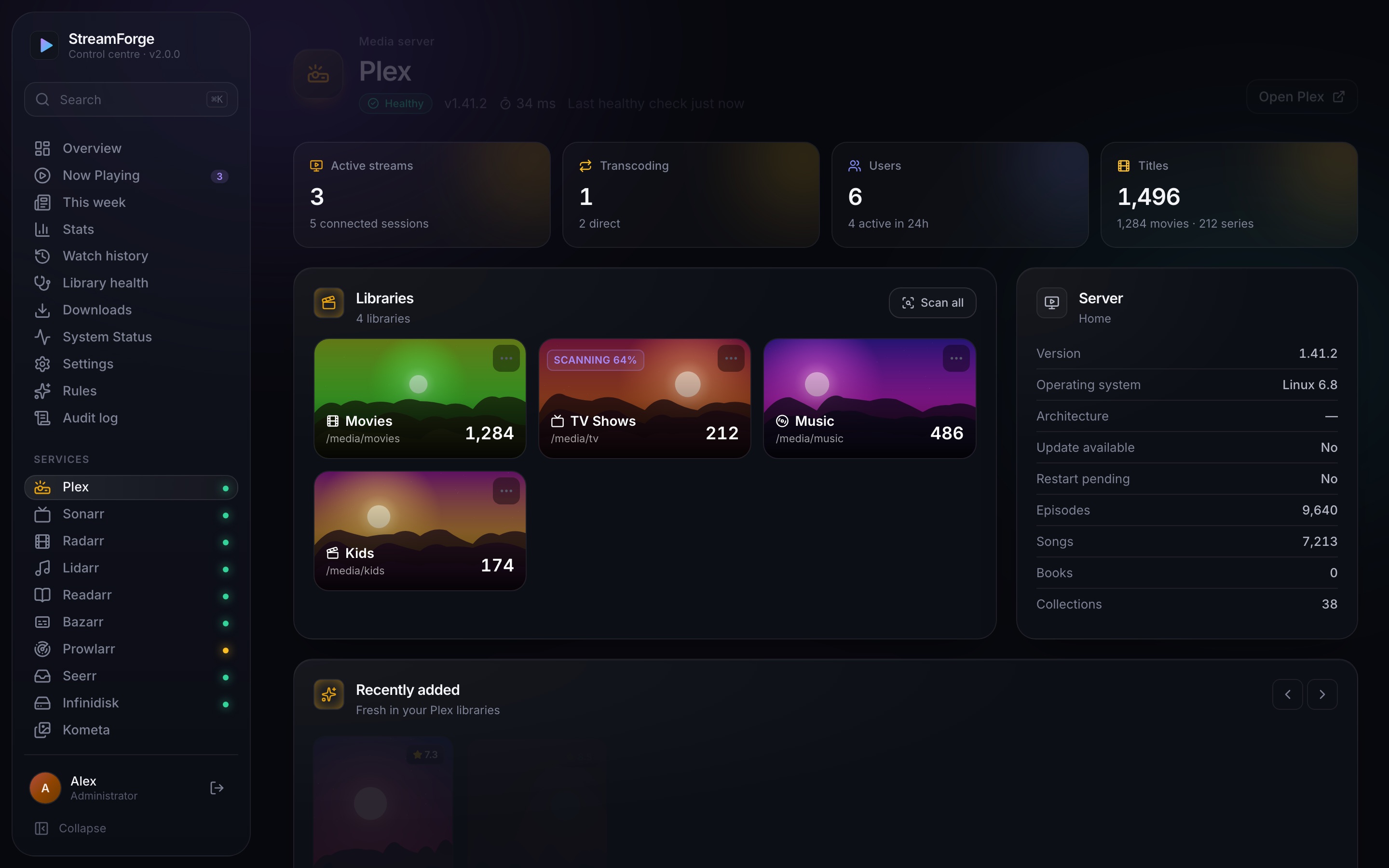
Choose Plex on first run: everyone signs in with their Plex account, and the dashboard, stats, search, your page and alerts all run on Plex. No Jellyfin needed.
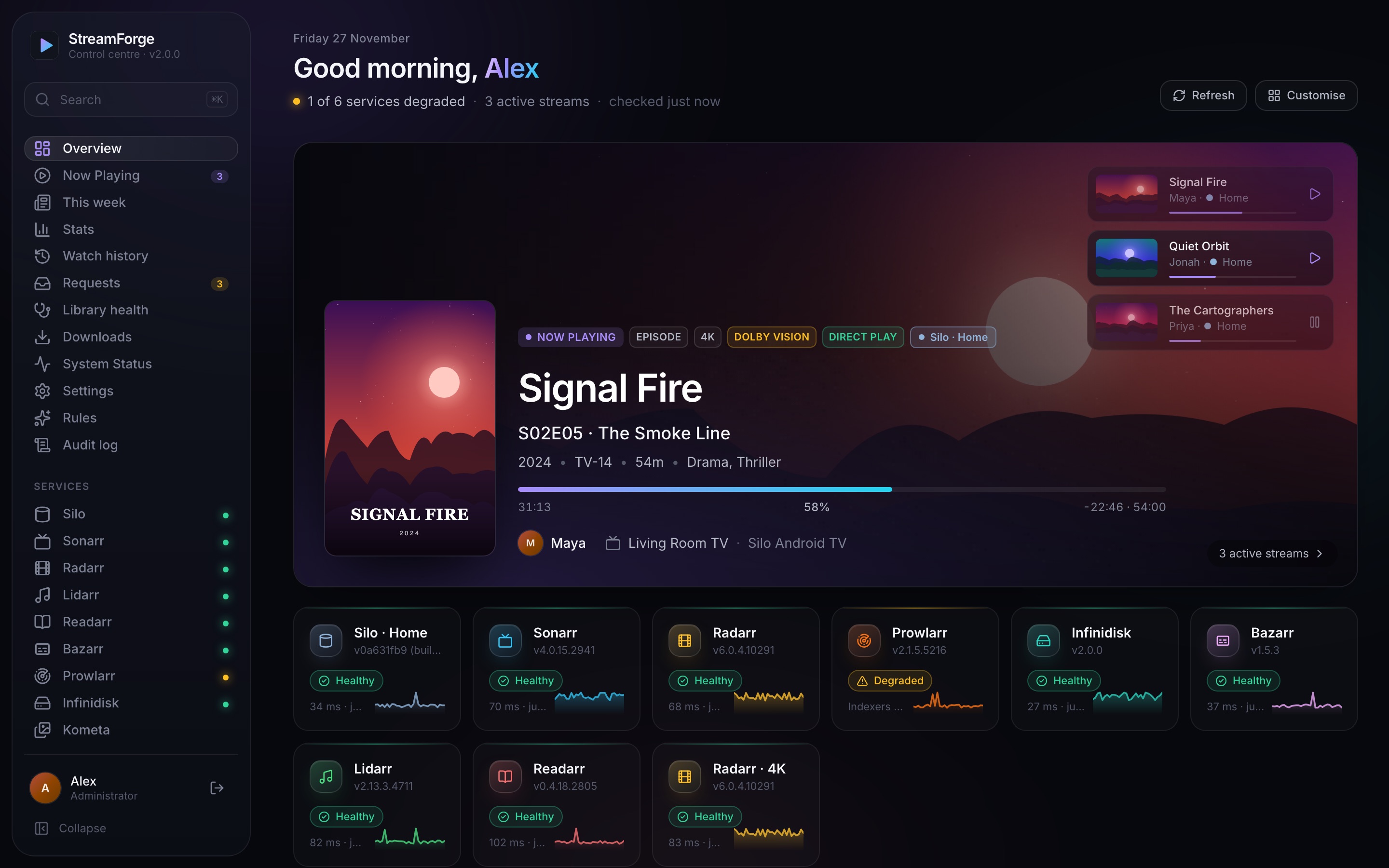
Choose Silo on first run and sign in with a Silo admin account. StreamForge talks to Silo's own API, and everyone signs in with their Silo account.
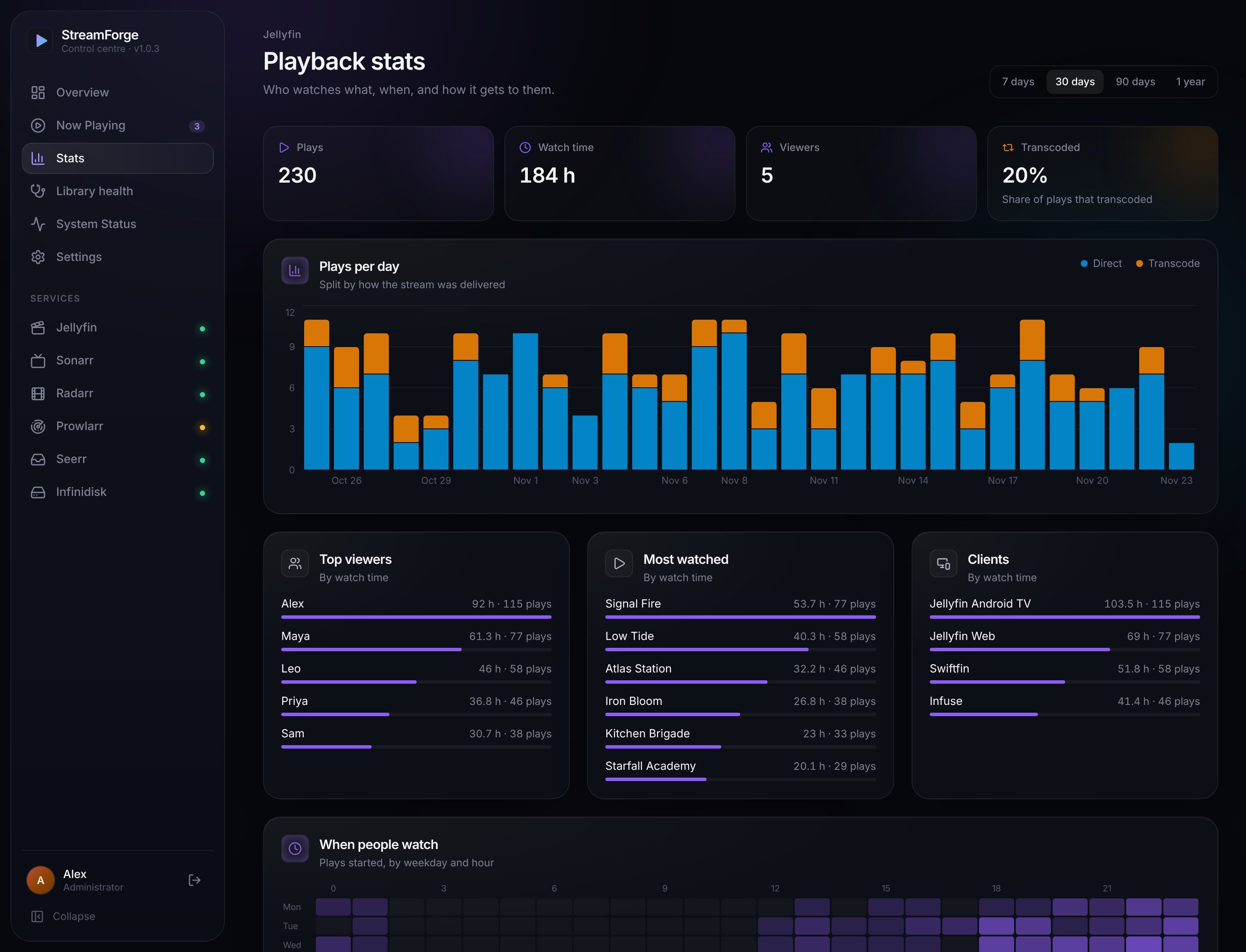
Plays and watch time per day, split by direct play and transcode, with the people, titles and apps behind them.
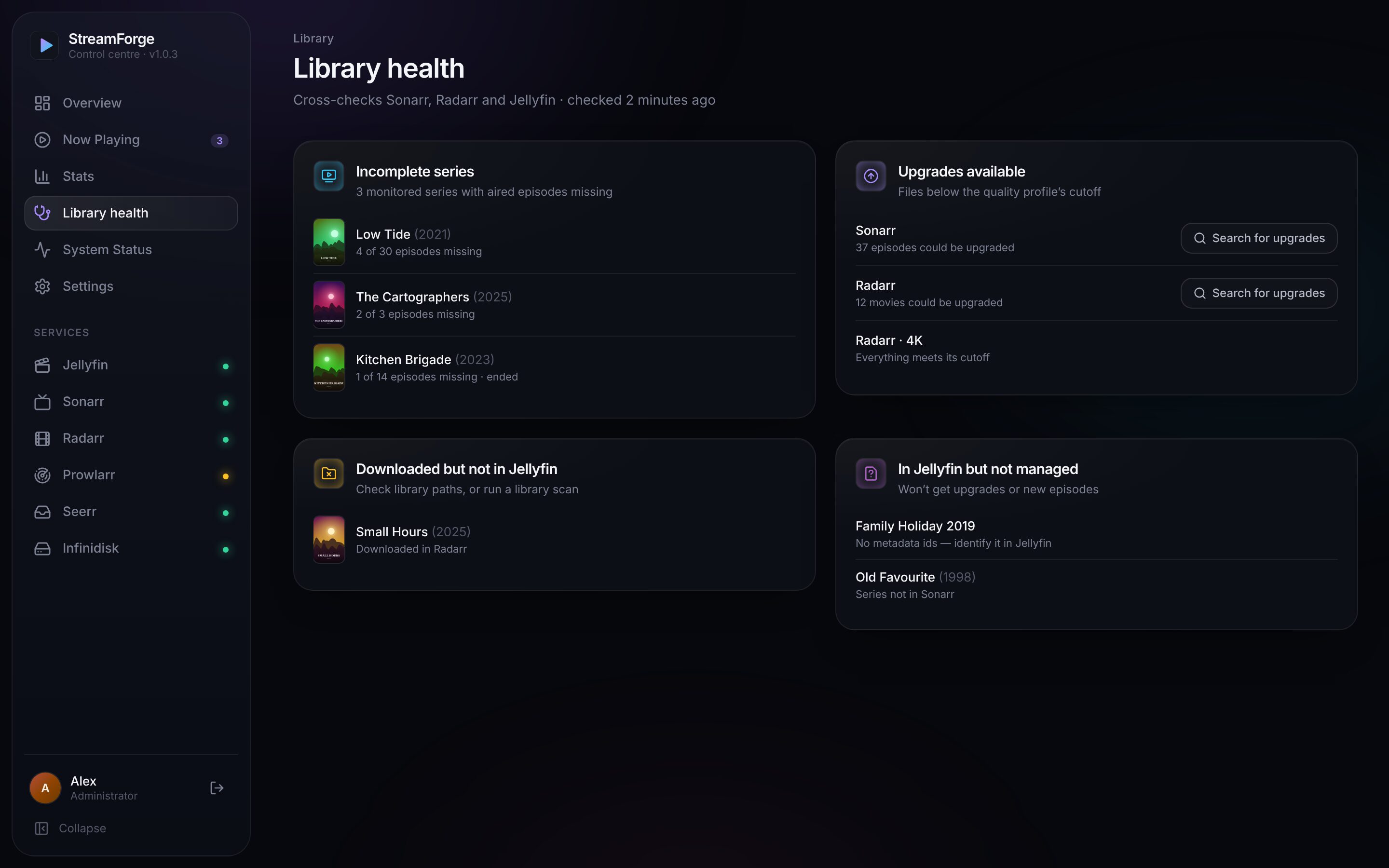
StreamForge compares Jellyfin with Sonarr and Radarr and shows where they disagree.
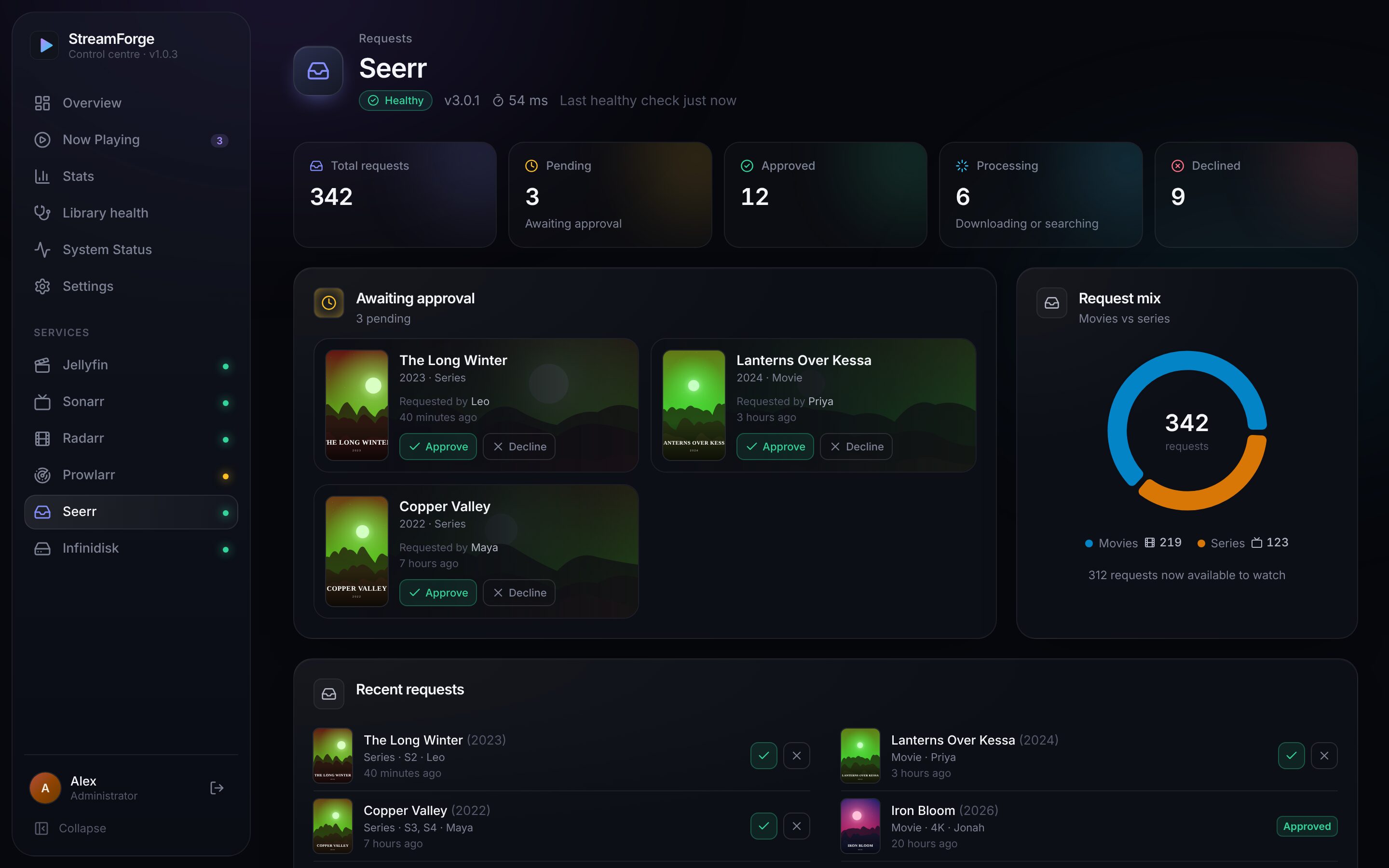
Everything waiting for approval and everything recently requested, with who asked and when. With Silo, its own requests are used instead of Seerr, with each one's download progress.
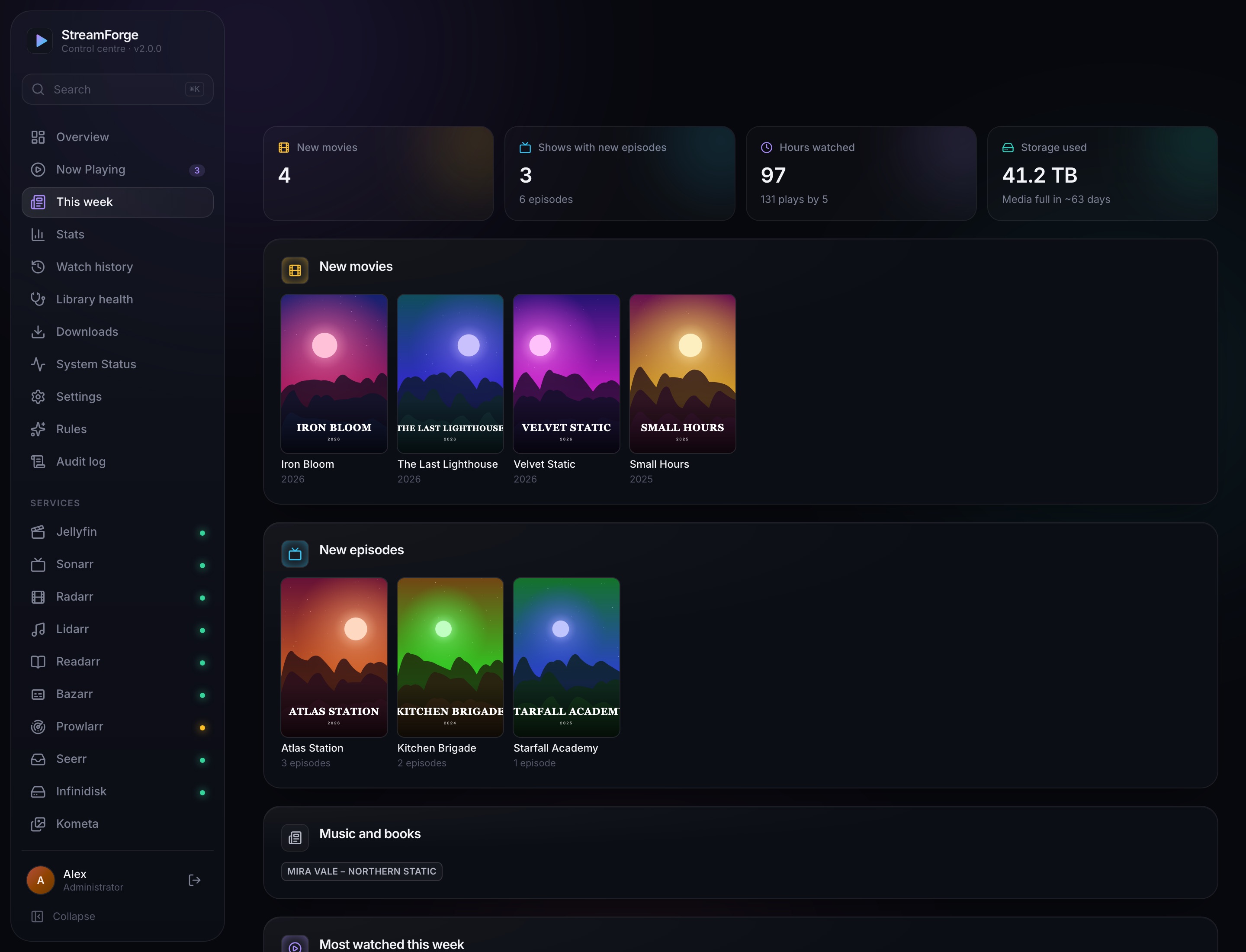
New movies and episodes, music and books, and the most watched titles of the week, sent to the channels you choose.
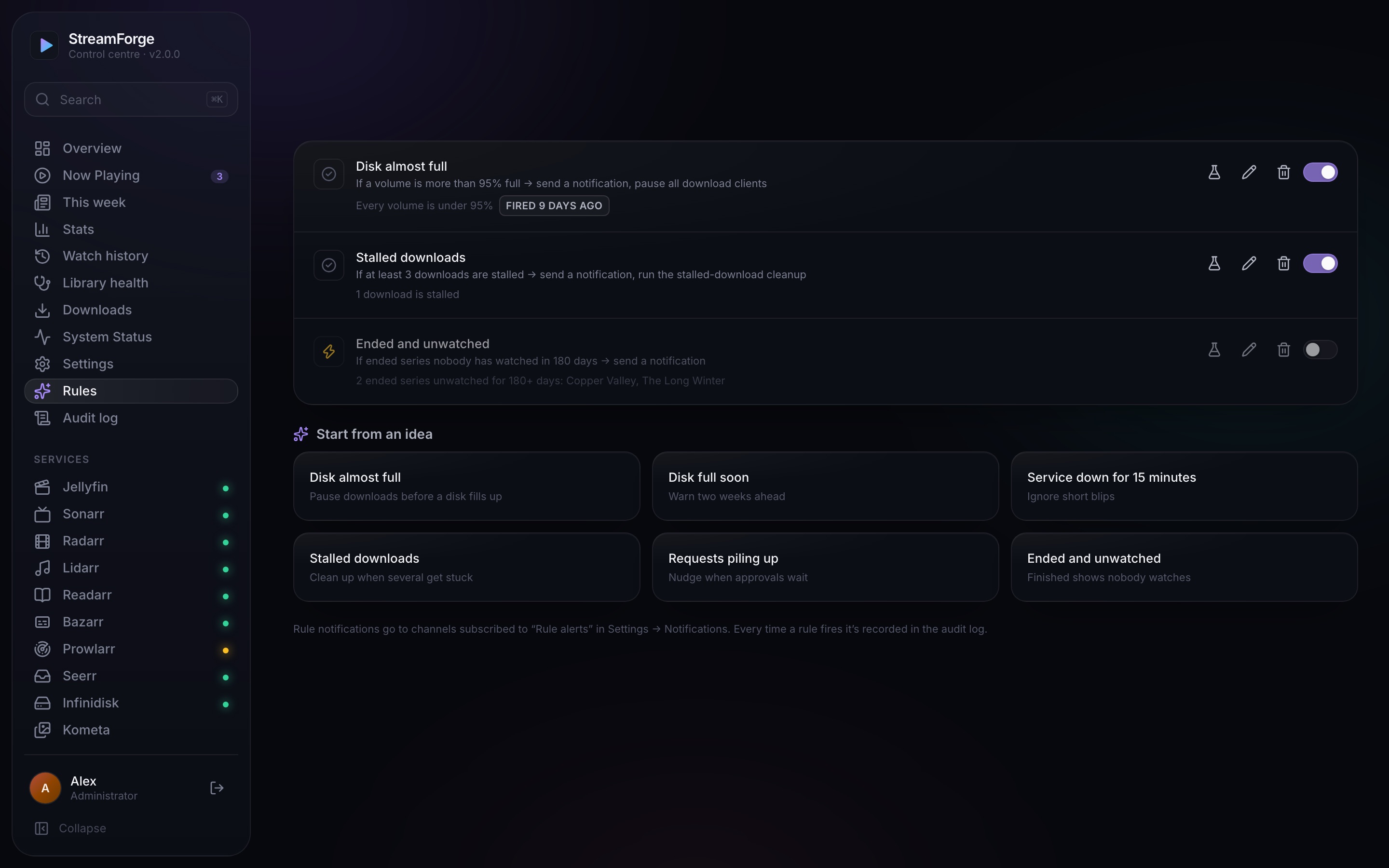
Simple automations for the things you would otherwise do by hand at 2am.
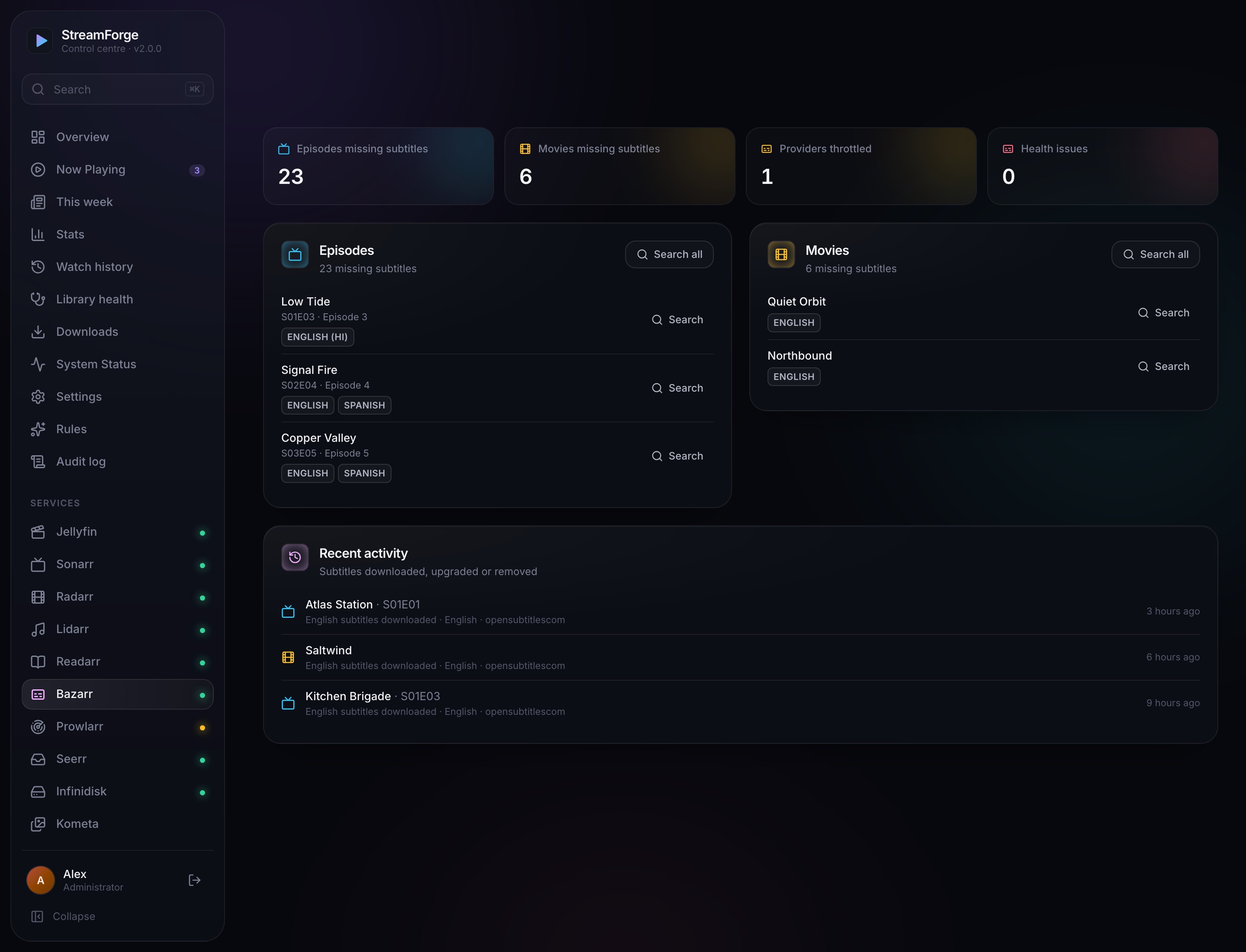
Episodes and movies missing subtitles, and what Bazarr has downloaded, upgraded or removed lately.
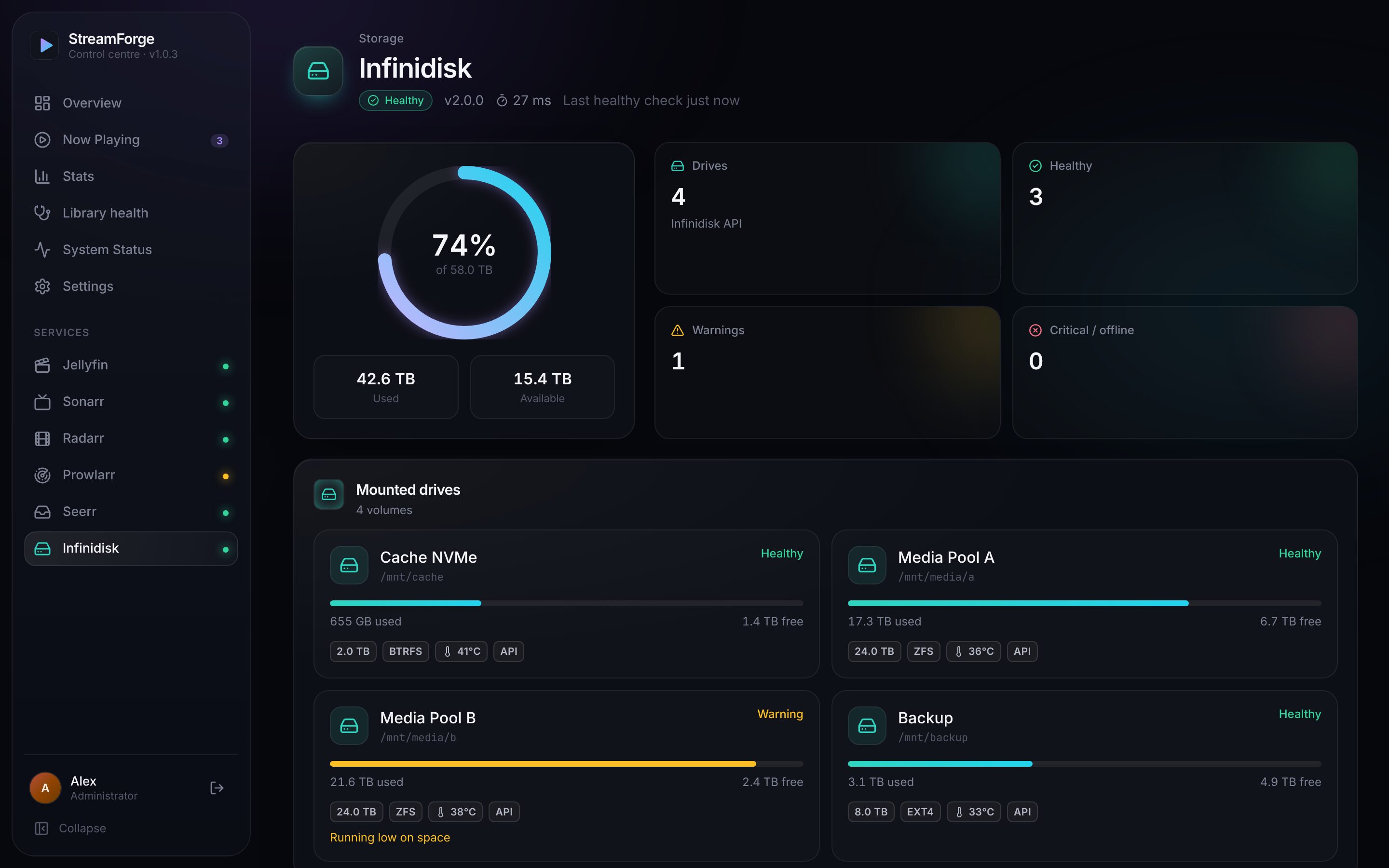
Capacity, health and temperature for every drive and pool, with a forecast of when each one fills up.
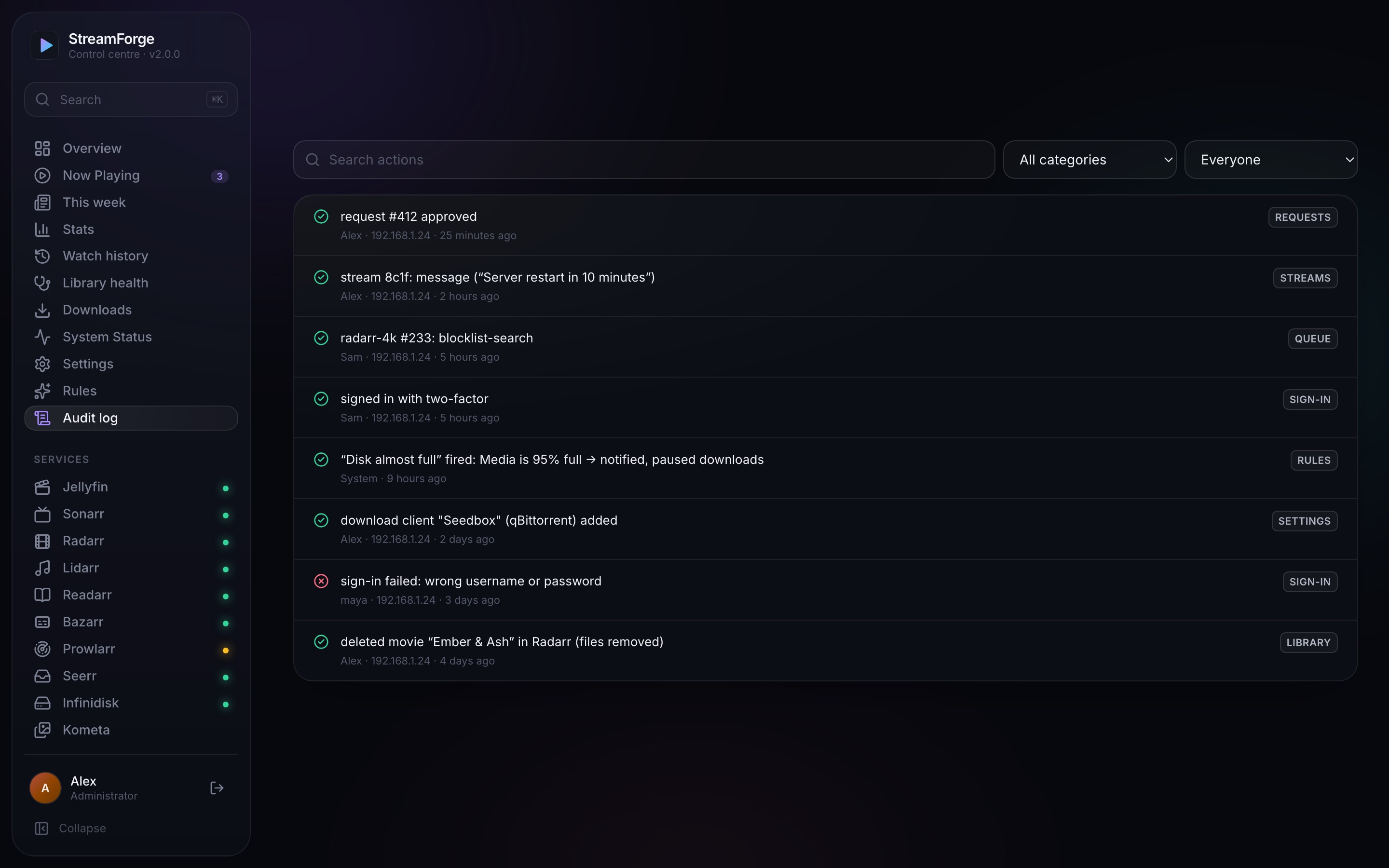
Every setting change, approval, stream control and sign-in, with who did it and from where.
Screenshots use the built-in demo data. All titles, people and artwork are fictional.
Add StreamForge to your home screen and it opens like an app, with push notifications when something needs you.
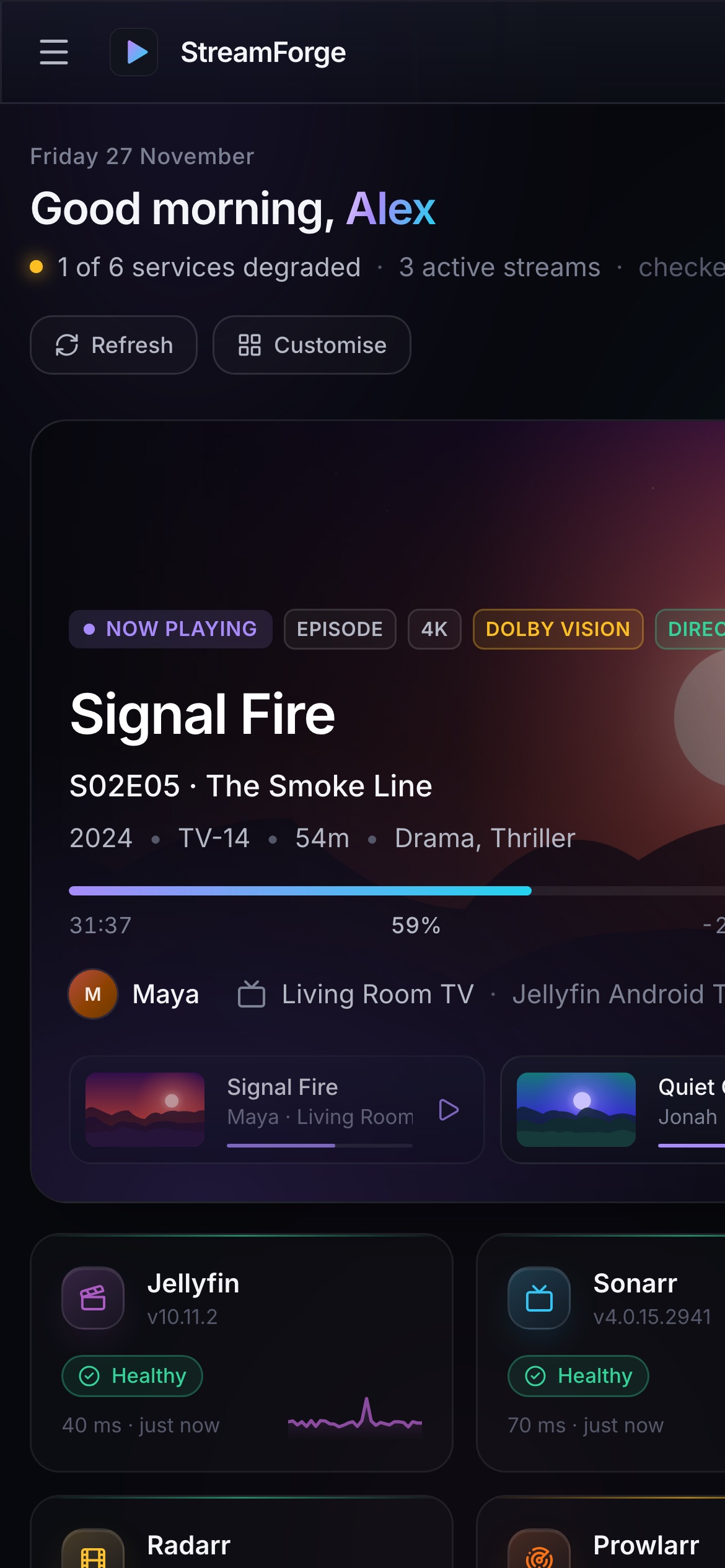
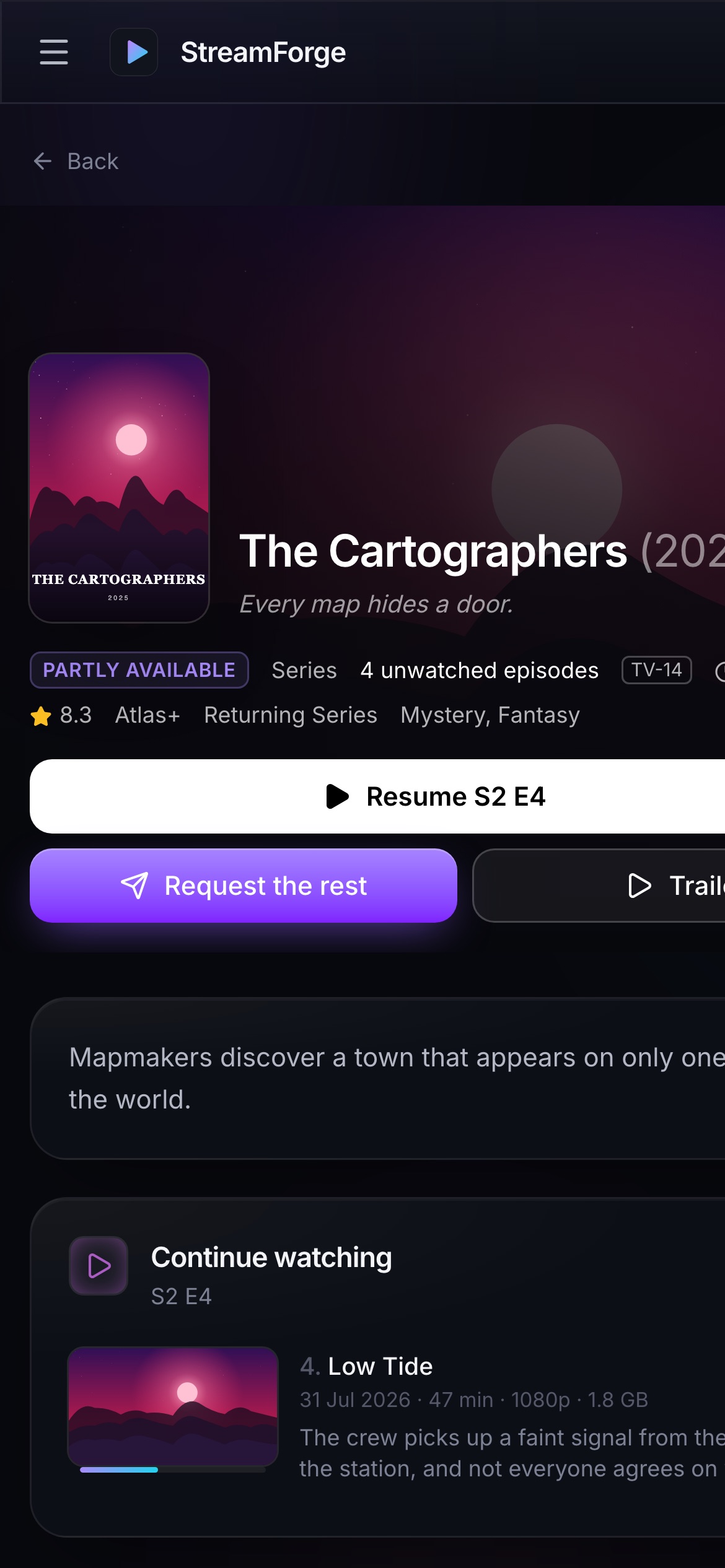
One container, multi-arch images for amd64 and arm64. All you need is Docker and a Plex, Jellyfin, Emby or Silo server.
services:
  streamforge:
    image: ghcr.io/ashveebee/streamforge:latest
    container_name: streamforge
    ports:
      - "4000:4000"
    volumes:
      - streamforge-data:/data   # settings database
    restart: unless-stopped

volumes:
  streamforge-data:
Save the file above and run docker compose up -d, or use the one-line docker run from the README.
Open http://your-server:4000 and pick Plex, Jellyfin, Emby or Silo. Plex: click Sign in with Plex and choose your server. Jellyfin, Emby or Silo: enter its address, or find it on your network, and sign in as an administrator.
StreamForge looks for Sonarr, Radarr, Seerr, Prowlarr and the rest on your Docker network, your machines and your domain, and fills in their addresses. Paste each API key to connect. Already use Seerr? It shares your Sonarr and Radarr in one click. Skip any you don't use.
The install guide covers Docker networking, reverse proxies, Tailscale, backups and troubleshooting. Want to look around first? Clone the repo and run npm run demo.
From the first docker compose up to Kometa collections, with the exact settings to use.
Docker Compose, the two-step first run (your media server, then your apps, found for you), Docker networking, reverse proxies and Tailscale.
Choosing Jellyfin, Plex, Emby or Silo, running more than one, finding a Plex token, and what works on each.
Run reports through webhooks, then collections from StreamForge: sharing the config folder, collection_files, and every option.
4K and anime instances, adding titles one at a time or in bulk, and freeing up space.
How plays are recorded, the Watch history and Stats pages, and who can see what.
Discord, ntfy, Pushover, webhooks and push to your phone, and every event you can subscribe to.
API keys and Jellyfin tokens stay on the server. The browser only gets an opaque, HttpOnly session cookie.
Sign in with your existing Plex, Jellyfin, Emby or Silo account. Only the server's owner or administrators get in by default; you choose which pages the rest of the household sees.
CSRF protection, rate-limited login, a strict content security policy and artwork proxied through validated routes.
Every release image ships with an SBOM and build provenance you can verify with gh attestation verify.
Sign in through Authentik, Authelia, Keycloak or any OpenID Connect provider, and protect password sign-ins with authenticator-app codes.
Every setting change, approval, stream control and sign-in is recorded with who did it and from where.
Download all your settings as one passphrase-encrypted file and restore it on a new server in seconds.
Sessions survive restarts and upgrades, and everyone can see and sign out the devices they're signed in on.
StreamForge is licensed under the GNU General Public License v2.0, the same license as Jellyfin. It's yours to use, study, change and share.
This summary is for convenience. The license text is what applies.